Set up an email program to use encrypted communication on Mac OS
Set up an email program to use encrypted communication on Mac OS
To set your Mac OS email program to use port 465, follow these steps:
The first step:
The second step:
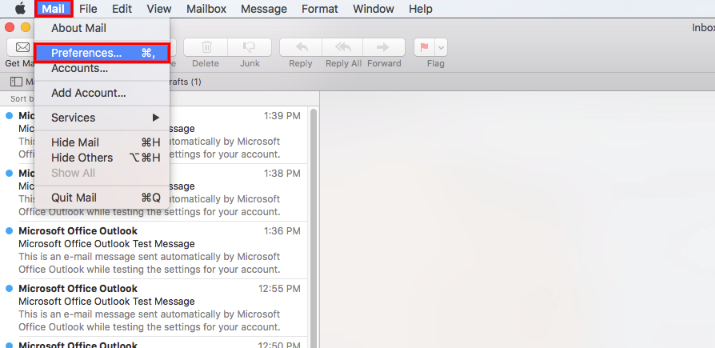
Then go to Mail > Preferences
The third step:
-
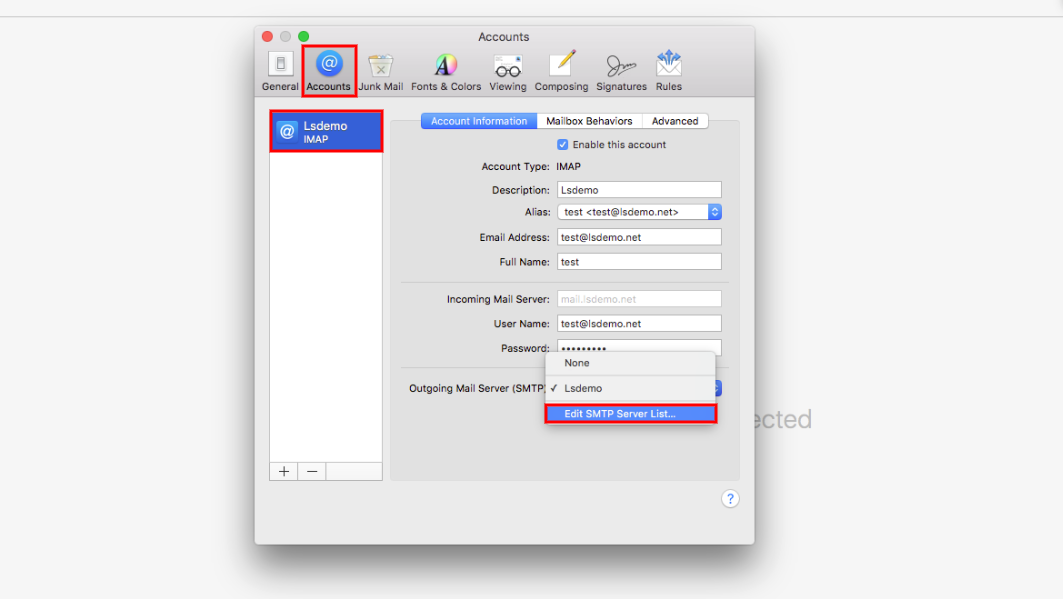
Click On Accounts
-
Click on the email account you wish to modify (lsdemo for example)
-
Click on Outgoing Mail Server and from the drop-down menu choose …Edit SMTP Server List to reset it
The fourth step:
-
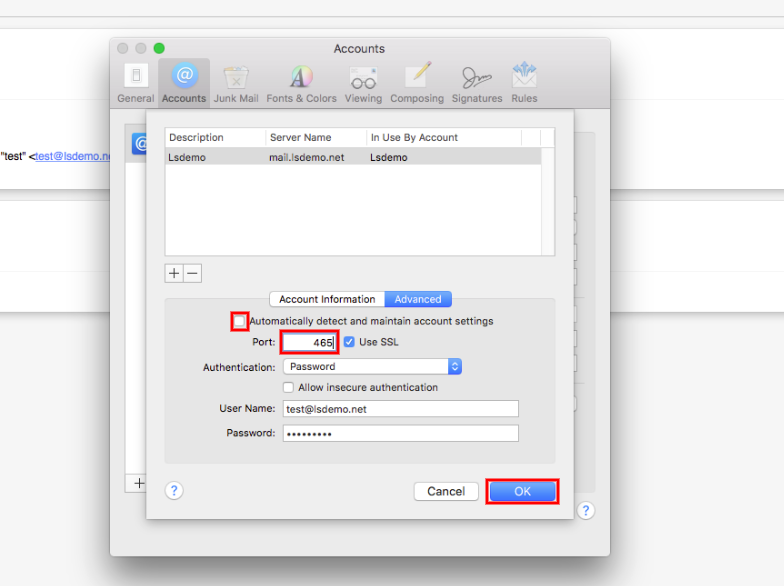
Click on Advanced
-
Deselect Automatically detect and maintain account settings
-
Ensure that the port in question is 465
-
Click on OK
-
Close the Accounts window Accounts
Step Five:
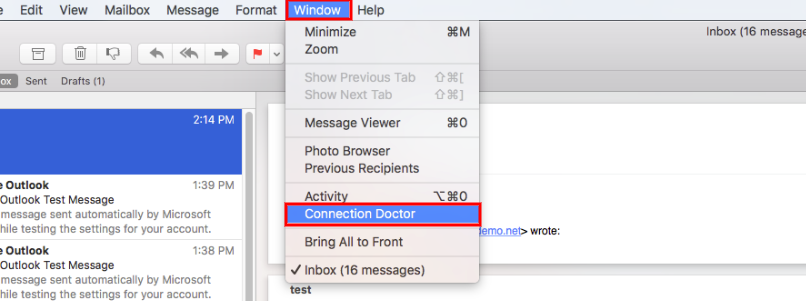
Click on Window and choose Connection Doctor
-
Wait for the setup to be tested
-
If the test was successful, close the window and then try to send and receive messages through the email you set up
- Mac OS, البريد الالكتروني, الاتصال المشفر, Mail, SMTP, server
- 5 Users Found This Useful


