View visitor logs in detail
It contains tools through which you can track your visitors and provides you with different types of statistics to know the number of visitors
The most requested pages and much more information of interest to you.
You can see your site statistics by following these steps:
1-Login to cPanel.
It was explained in previous lessons, please see the following lesson:
Explain the login to the C-Panel and activate the SSL certificate for C-Panel
2- We go to the "Metrics" block, we click on "AWstats" as in the following image:
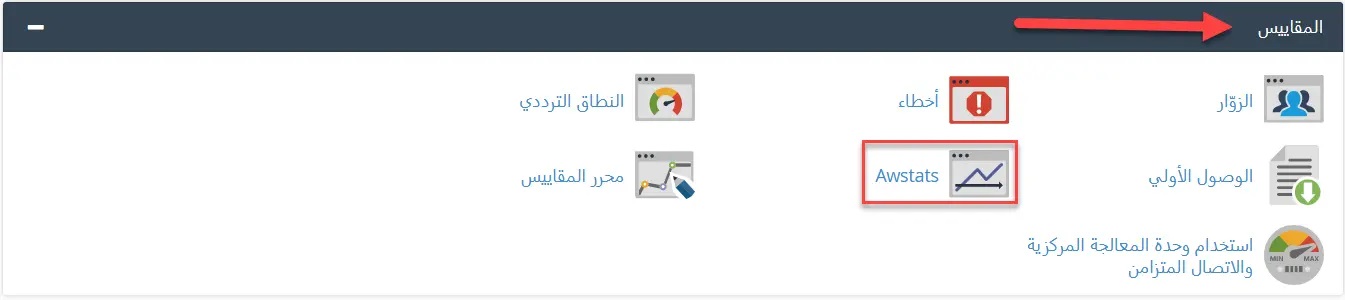
Awstats: It is a free tool and the most widely used to display the statistics of the sites on a daily, monthly and yearly basis, providing you with data on the number of visitors, the number of pages visited, the time period spent in visiting and the most requested IP addresses of the site in addition to the most countries in which the site is browsed as well as the rate of consumer data transmission, All in the form of images and geometric figures. It is updated periodically.
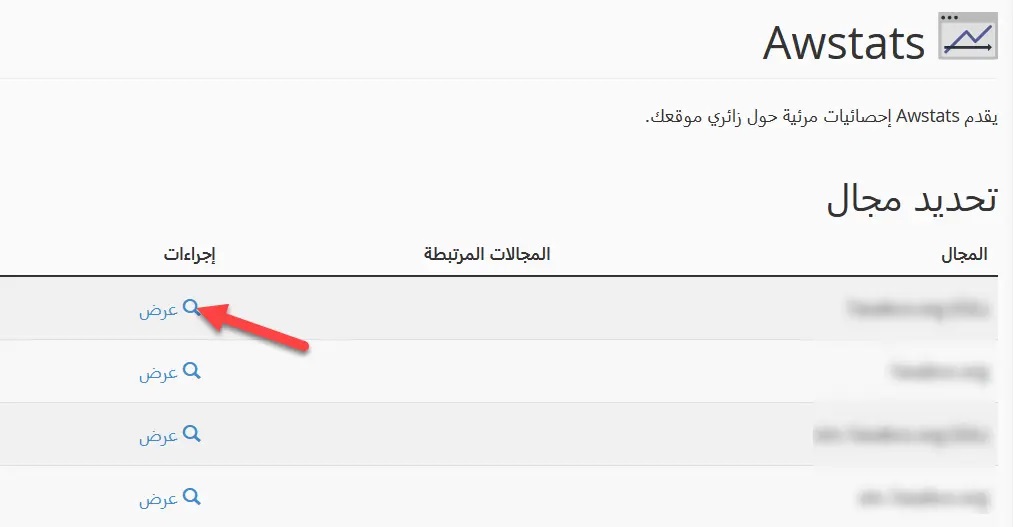
3- We define the range for which the records are displayed in the presence of more than one range and we click on Display
It will be displayed as:
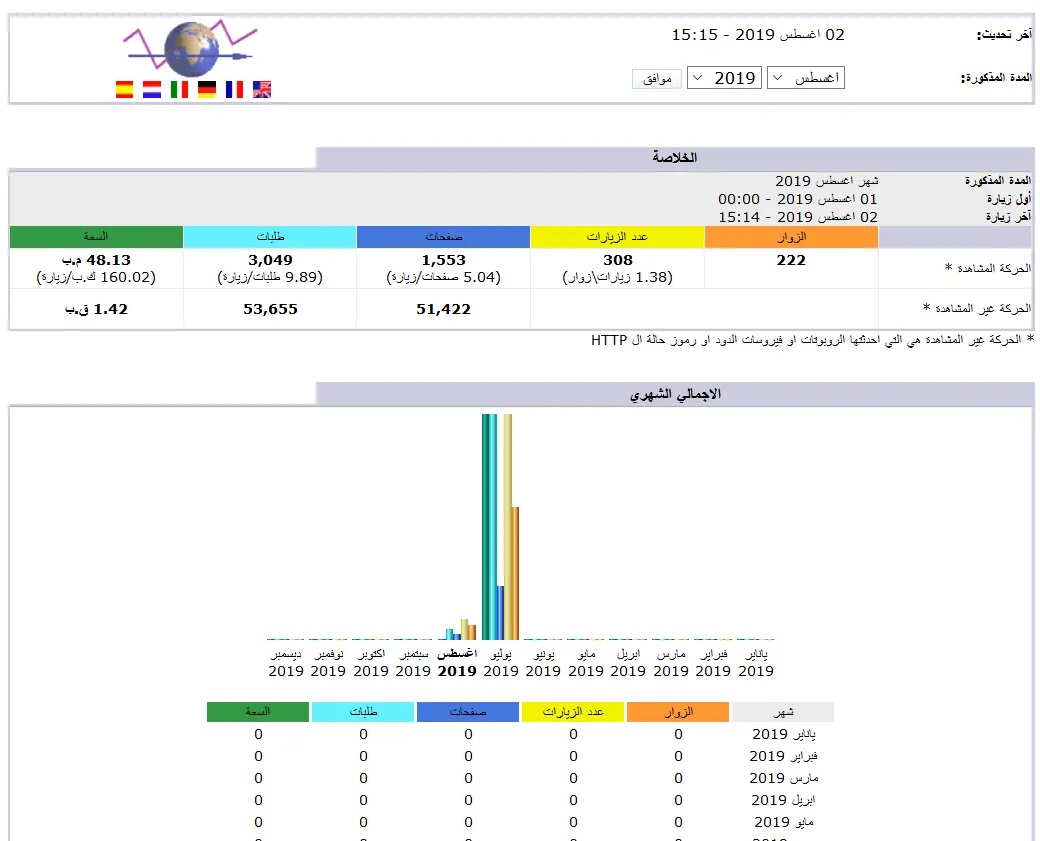
A detailed explanation of the site’s visitor logs has been completed
Topics can be viewed:
Show the last visitors and contacts on the site
Why can't I access my website and C-Penel on my hosted site?


