create Subdomains
Subdomains are URLs for different parts of your website. It uses the name of your main domain with an addition in the introduction.
For example, if domain.com is a primary domain, name.domain.com is a subdomain of the main domain.
You can configure subdomains by following these steps:
1- We are logged in to C-Penel
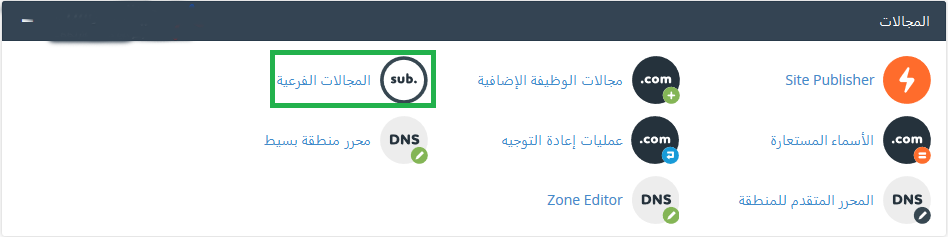
2- 2- We head to the block called fields and we click on the sub-fields as follows:
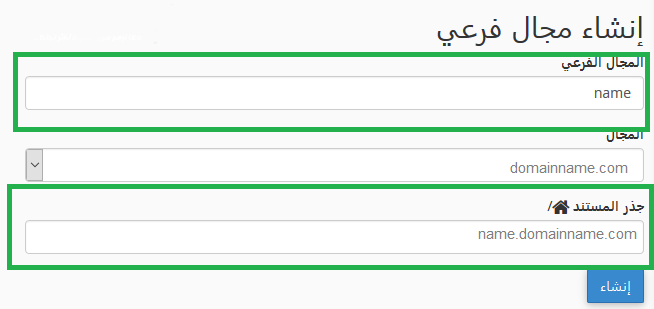
3- Enter the name of the subdomain in the field named Subdomain. Your own automatic folder will be created in the document root field, then we will click create as follows:
4- The field was successfully Created now as shown in the following image: :

5- We click on Back below to show us the fields that were created, as in the following image:

- Subdomain, مجال فرعي, cpanel, domain, Create, انشاء, سي بانيل
- 4 Users Found This Useful


